Tax Software


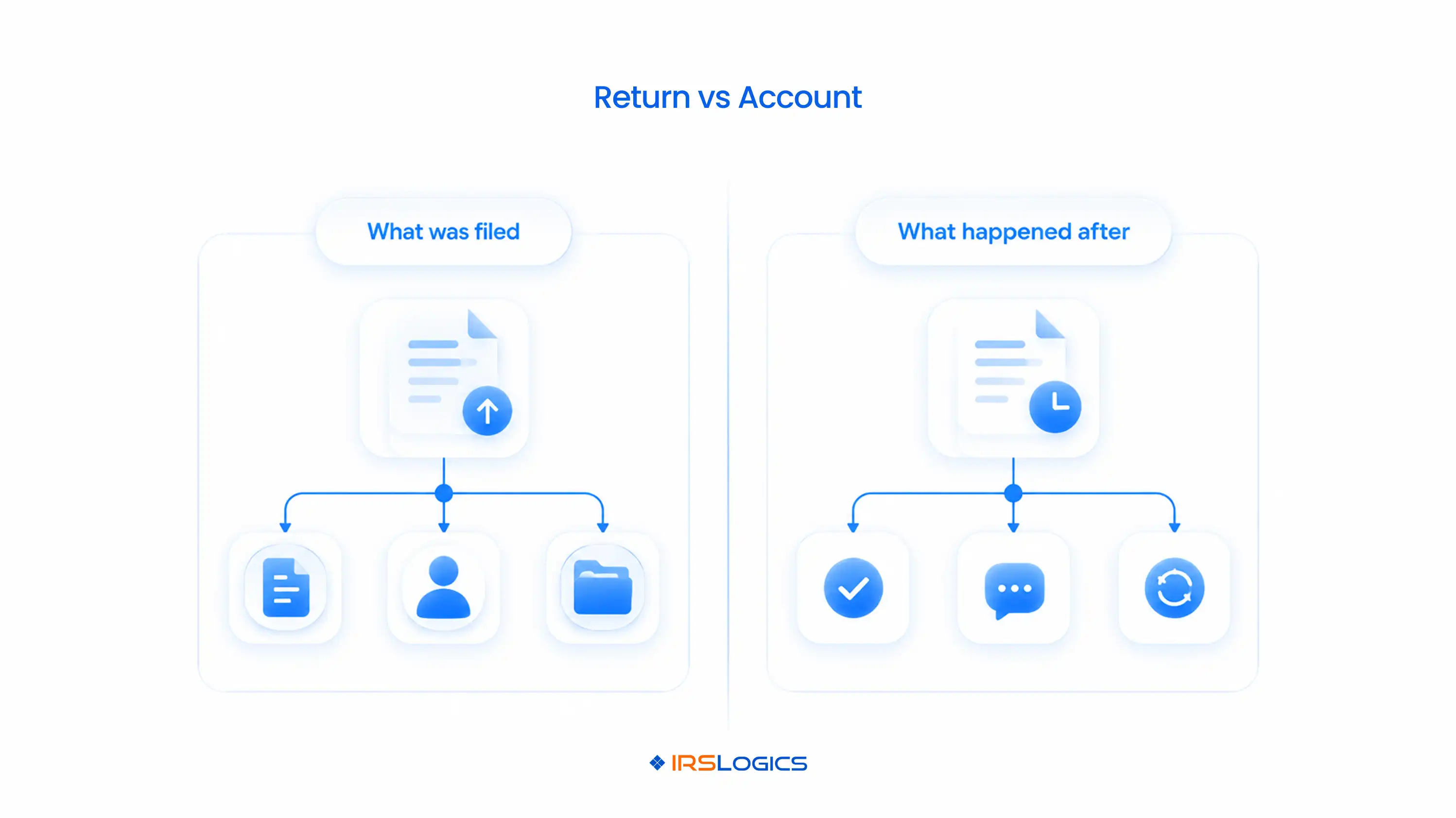
The IRS issues five main types of tax transcripts:
For resolution work, the account transcript does most of the heavy lifting, and the wage and income transcript fills in the gaps.
Pull the wrong one and you're analyzing half a case. And half a case is how CSEDs get miscalculated, penalties get missed and offers get rejected.
Let's fix that.
TL;DR
Here's the thing nobody tells you in your first year of resolution work. "Pull the transcript" is not one task.
The IRS offers five tax transcript types, and each one answers a different question.
The IRS keeps its own breakdown of transcript types and ways to order them if you want the official version.
Know these five types of tax transcripts cold, and case analysis gets a lot faster.
The account transcript vs return transcript question comes up on almost every new case.
Here's the simplest way to think about it:
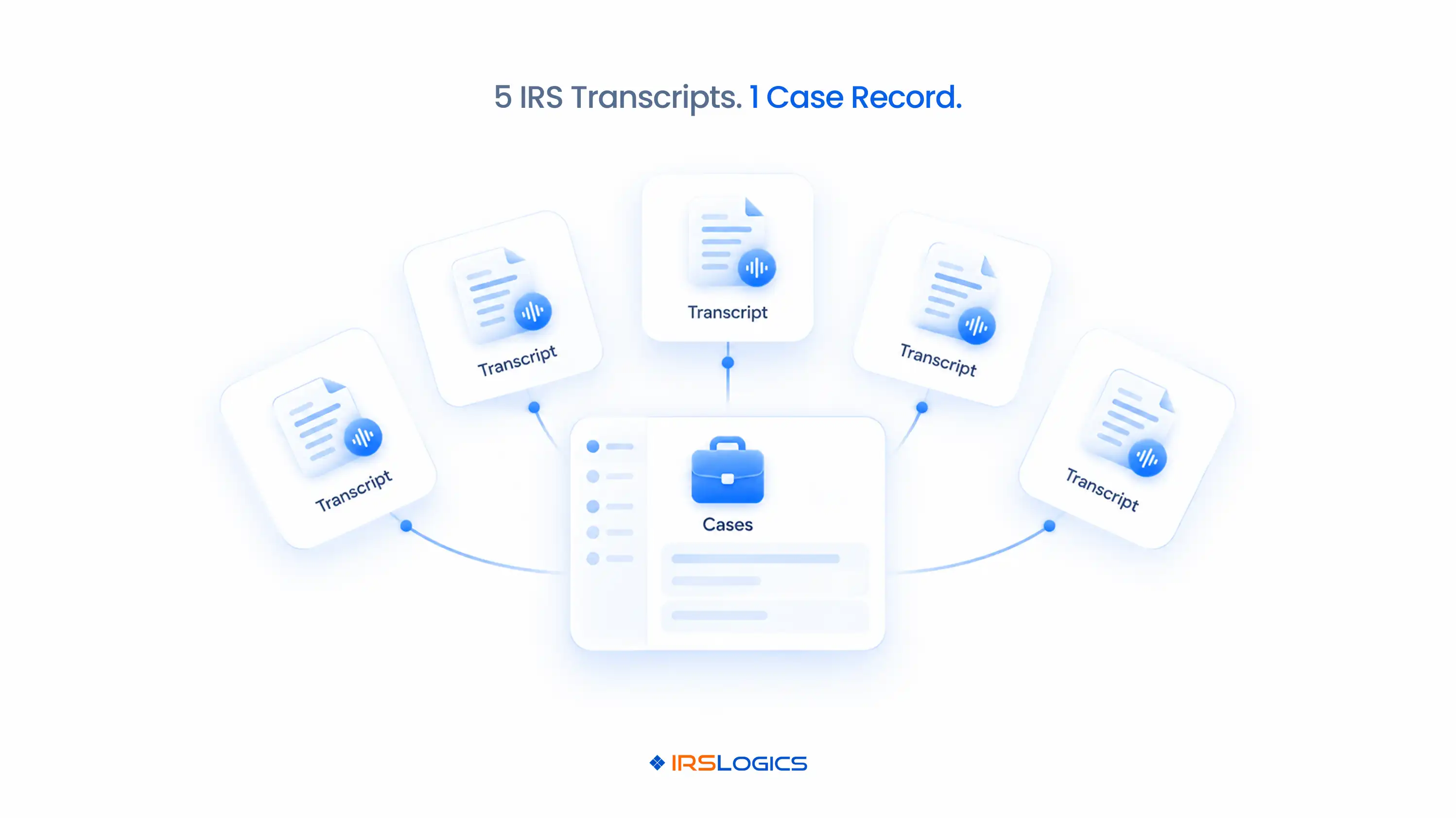
→ The return transcript is the "before." It shows what the taxpayer reported.
→ The account transcript is the "after." It shows what the IRS did about it.
Assessments. Payments. Penalties. Notices. Collection holds. Offers. All of it lives on the account transcript.
Picture this.
Your client swears they filed their 2021 return. The return transcript shows nothing on file. The account transcript shows the IRS assessed the tax through a Substitute for Return, plus penalties.
That's two very different conversations with your client. One transcript alone would've given you only half of it.
So in the account transcript vs return transcript debate, resolution pros usually need both. But the account transcript is where the case actually lives.
Not every case needs every one of the IRS transcript types.
Here's how to match them to the work:
Pulling every one of the types of IRS transcripts for every year? Overkill.
Pulling only one? Risky.
Match the types of tax transcripts to the case, not the other way around.
Then pair them with a solid tax resolution client financial intake checklist, so the numbers on the transcript and the numbers from your client actually line up.
Of all the tax transcript types, this is the one to read line by line.
It's also the most important type of IRS transcript for collection work because transaction codes tell the whole story.
The codes resolution pros check first:
→ TC 150: Return filed and tax assessed. This date starts the CSED clock.
→ TC 166: Failure-to-file penalty.
→ TC 276: Failure-to-pay penalty.
→ TC 196: Interest charged.
→ TC 480: Offer in Compromise pending.
→ TC 530: Account placed in Currently Not Collectible status.
→ TC 971: Miscellaneous actions, like notices issued. The action code tells you which.
Now here's where it gets dramatic.
The CSED is generally 10 years from the assessment date. But pending offers, bankruptcies and certain other events extend it.
Miss one TC 480 from an old rejected offer, and your CSED math is wrong.
Wrong CSED, wrong strategy. Wrong strategy, very unhappy client.
Here's more on how IRS transcripts drive tax resolution cases from intake to closure.
There are two main routes.
Route 1: Get Transcript Online.
This is the taxpayer-facing IRS Get Transcript tool. It's fine for one person checking their own records. It's not built for a firm handling 60 clients.
Route 2: The Transcript Delivery System (TDS).
Practitioners use the IRS Transcript Delivery System through e-Services, with a Form 8821 or Form 2848 on file for the client. TDS gives you access to all tax transcript types for every client who has authorized you.
One catch: most transcripts come masked, showing only partial names and identifiers for privacy. So matching each transcript to the right client record matters more than you'd think.
Both routes give you the same types of tax transcripts. The difference is who's logging in, how often, and where the files end up.
Let's do some quick math.
60 active cases.
6 years per client.
2 to 3 tax transcript types per year.
That's hundreds of PDFs.
And here's what usually happens to them:
→ They get downloaded into a folder called "Transcripts FINAL (2)"
→ Nobody knows which ones are three months old and need a re-pull
→ There's no log of when a transcript was requested or by whom
→ A new case manager can't tell which types of IRS transcripts were already pulled
Understanding the types of tax transcripts is step one.
Managing them across 60 cases is where firms drown.
This is exactly why firms move to cloud-based tax resolution software instead of juggling downloads on one person's desktop.
IRSLogics is tax resolution software where transcripts don't live in a folder. They live inside the case.
It pulls all IRS transcript types directly into the client record in minutes.
Transcript Logs track every request and its current status, so your team always knows what's been pulled, when and for whom.
No separate downloads. No mystery PDFs.
Here's how that plays out on a real Offer in Compromise case.
With a Form 2848 on file, you pull account and wage and income transcripts for six years straight into the case.
You spot a TC 480 from an old rejected offer and adjust the CSED before it wrecks your strategy.
The wage and income transcript shows two 1099s the client never mentioned, so the Document Collection Tab requests them and tracks what's still missing.
Meanwhile, the Financial Questionnaire auto-populates the 433-A.
Tasks remind you to re-pull every one of these types of tax transcripts right before submission, so the IRS never sees stale numbers.
It works whether you're a CPA adding resolution services or running a litigation-heavy practice. There's a breakdown of the best tax resolution software for CPAs and another for tax attorneys.
Users rate it 93% for ease of use and 93% for quality of support, and it has served resolution professionals for over a decade.
There are five: Tax Return Transcript, Tax Account Transcript, Record of Account, Wage and Income Transcript and Verification of Non-filing Letter. Each shows a different part of a taxpayer's IRS history.
The return transcript shows what the taxpayer originally filed. The account transcript shows what happened after, including assessments, payments, penalties and collection activity.
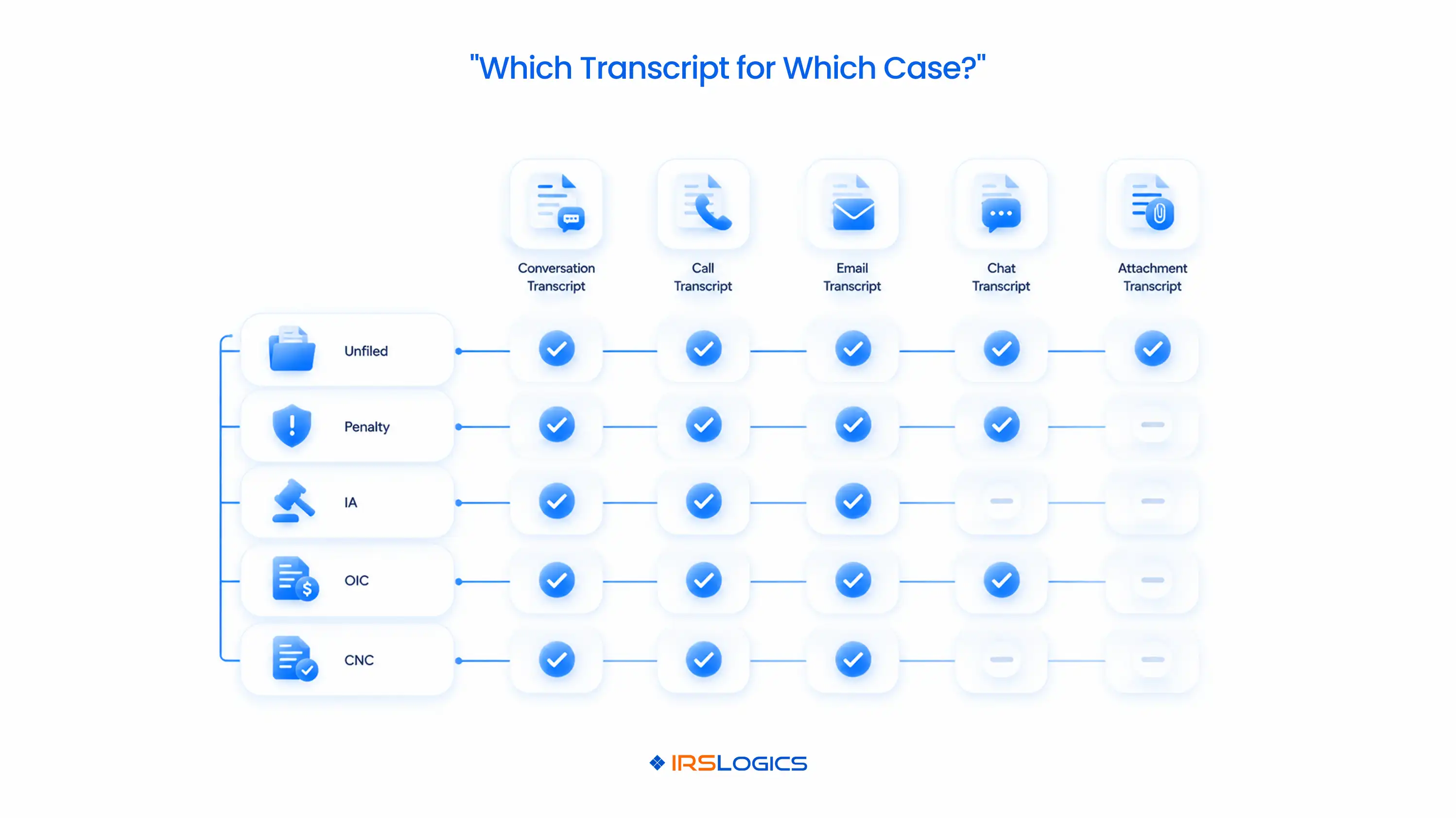
At minimum, pull account and wage and income transcripts for every balance year. Add return transcripts when you need to confirm what was filed.
Return transcripts and Record of Account cover the current year plus three prior years. Account and wage and income transcripts go back further, up to 10 prior years online.
Yes, through the IRS Transcript Delivery System in e-Services, as long as a valid Form 8821 or Form 2848 is on file for the client.
The IRS masks personal details like names and identifiers to protect taxpayer data. The financial entries still show in full.
Resolution software like IRSLogics pulls transcripts directly into each client case, logs every request and sets reminders to re-pull before key filings.
Transcripts are the first thing you pull and the last thing you check.
Get the types of tax transcripts right, and your case analysis starts on solid ground. Get them wrong, and every number that follows is a guess.
The firms that win consistently don't just understand the IRS transcript types. They manage them in one place, re-pull them on schedule and read every code.
Going into a software demo? Bring these tax resolution software demo questions with you.
Ready to stop digging through transcript folders and start analyzing cases?
→ Book a free demo of IRSLogics
→ Rather talk it through? Call us at +1 (866) 386-2444
All
Tax Software
Workflow & Automation
Industry News
Resolution Tips
Tax Resolution Marketing

Lorem ipsum dolor sit amet, consectetur adipiscing elit. Suspendisse varius enim in eros elementum tristique. Duis cursus, mi quis viverra ornare, eros dolor interdum nulla, ut commodo diam libero vitae erat. Aenean faucibus nibh et justo cursus id rutrum lorem imperdiet. Nunc ut sem vitae risus tristique posuere.


Share this article directly by email. Simply enter the recipient’s details below.

Article has been send to you.