Workflow & Automation


Every IRS collection case, audit, or notice comes down to one thing: knowing what the IRS knows.
And the only place that story lives is in IRS transcripts.
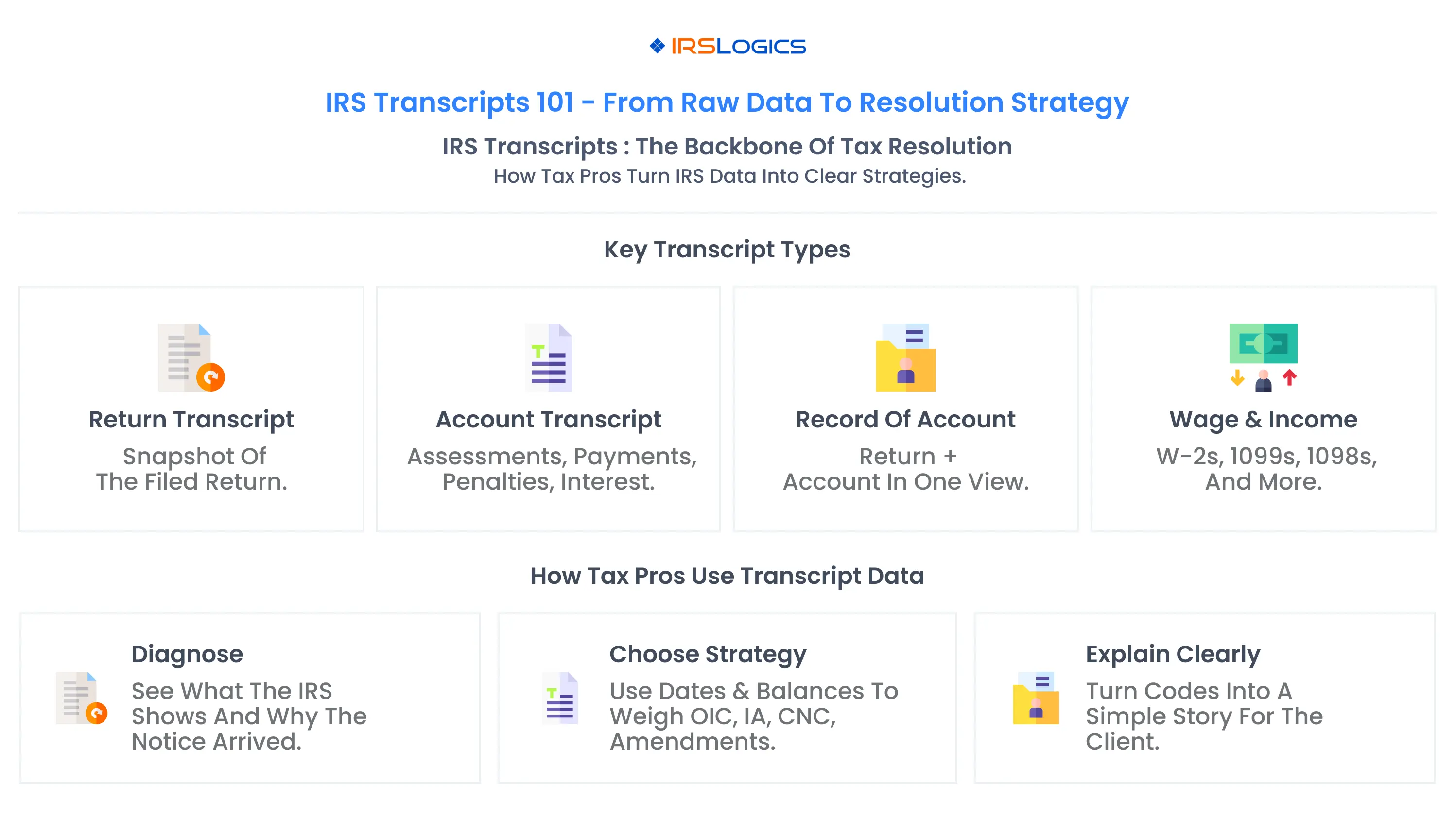
For CPAs, enrolled agents, and tax attorneys, transcripts aren’t optional anymore. They’re the starting point for almost every resolution engagement. They reveal what actually happened on a client’s account, confirm balances and statute dates, guide whether you pursue an OIC, installment agreement, CNC, or something else, and help you explain the situation clearly to nervous clients.
The challenge? Transcripts are dense, and pulling them manually is slow, repetitive, and disconnected from the rest of your workflow.
That’s exactly why IRSLogics was built.
Instead of treating transcripts as a separate chore, IRSLogics brings them into the center of your process. From one web-based platform, you can retrieve transcripts in seconds, attach them to cases, and use that data to inform decisions and auto-fill forms, no extra logins, no PDF juggling.
This guide breaks down the essentials: what transcripts are, which ones matter, how to read them, and how to automate the entire process with IRSLogics.
Because when you start with clearer data, you get clearer cases and better outcomes.
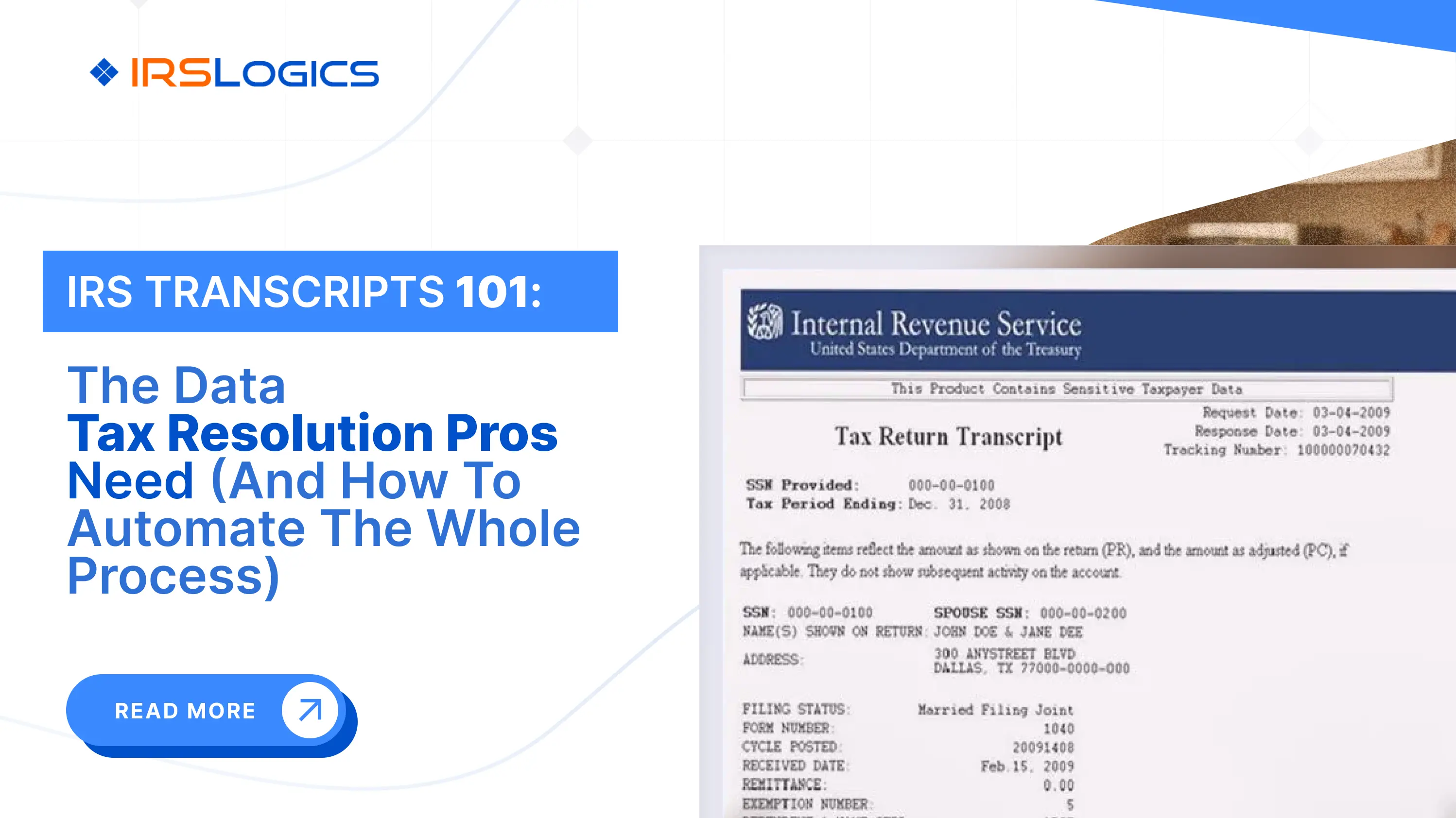
An IRS transcript is a system-generated summary of the IRS's records for a specific taxpayer and tax period. Think of it as a window into the IRS master file for that year.
In general, tax transcripts:
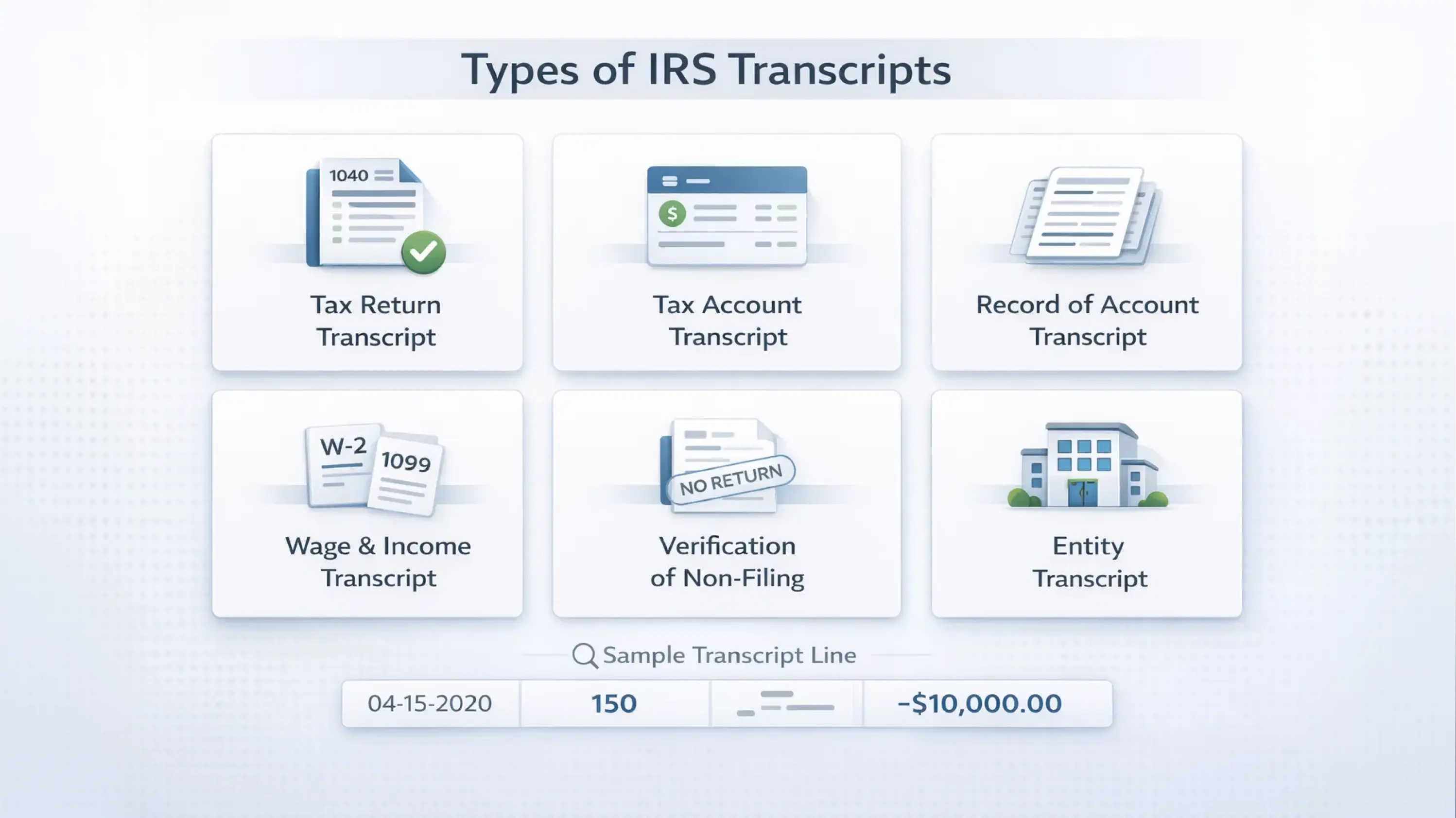
The IRS makes different transcript types available to individuals and practitioners, including tax return, tax account, wage and income, record of account, verification of non-filing and entity transcripts.
For tax resolution pros, IRS transcripts are:
Six main types of IRS transcripts matter for tax professionals.
A strong tax resolution workflow uses different IRS transcript types together: for example, wage and income to reconstruct missing returns, the record of account to see the whole history, and tax account transcripts to confirm current balances and key dates.
Reading IRS transcripts for tax resolution is part technical skill, part pattern recognition. At a high level, you are looking for:
Key elements to focus on:
Many professional resources and courses now focus on “IRS transcripts explained” for practitioners, emphasizing that every transcript tells a story about the client’s tax history.
Once you know what to look for, transcripts become one of the most powerful tools in tax resolution and planning.
There are several ways to obtain IRS transcripts, depending on who you are and what you need.
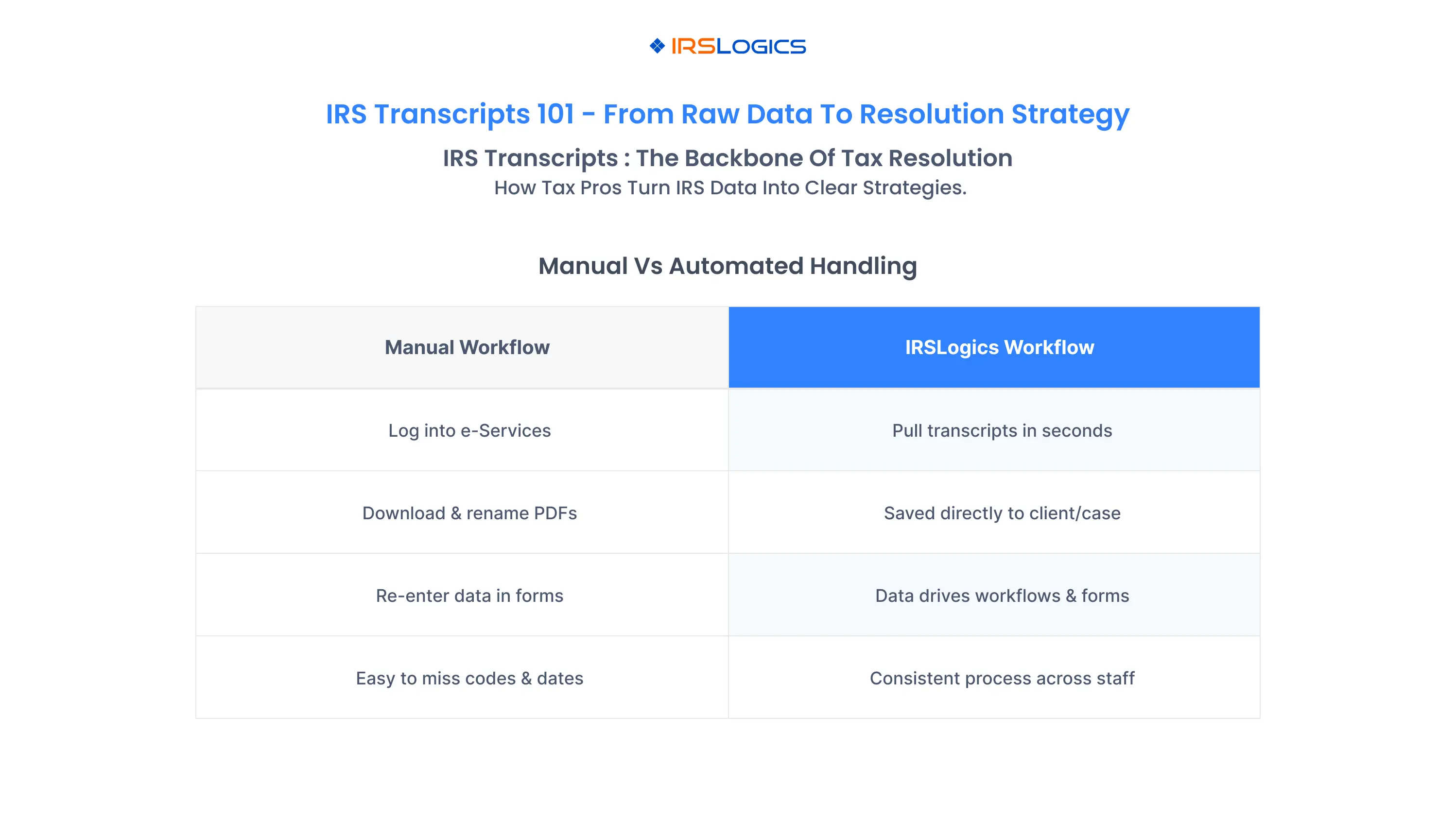
For individuals and businesses:
For tax professionals:
In practice, most established resolution shops move away from manual retrieval and toward automated IRS transcript workflows inside specialized platforms to reduce time and risk.
If your firm is still handling IRS transcripts manually, you are likely dealing with:
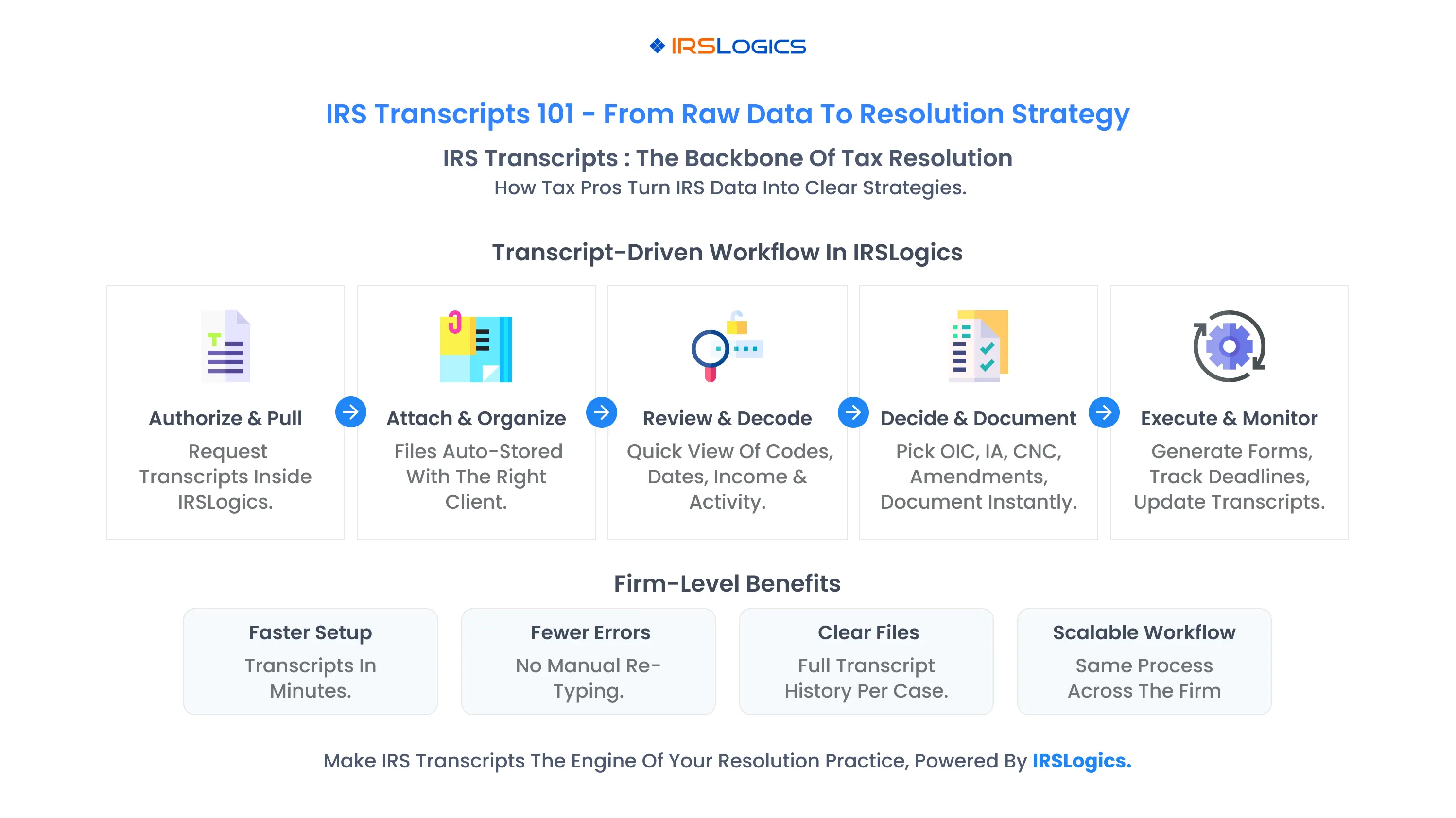
When you combine this with the volume of cases a growth-minded tax resolution practice handles, manual processes quickly become a bottleneck.
That is why IRS resolution software and IRS case management software now tend to advertise integrated transcript downloads and analysis as core features: they turn IRS transcripts from static PDFs into structured data that powers workflows.
IRSLogics is part of this new generation, giving tax pros a way to pull and manage transcripts from within the same platform where they manage clients, cases, tasks and billing.
How IRSLogics Automates IRS Transcripts for Tax Resolution Pros
On its tax resolution software, IRSLogics highlights “pull IRS transcripts in seconds” and “download IRS transcripts” as part of its core case and workflow management feature set.
In practice, that means:
This turns IRS transcripts into a standard step in your resolution workflows, rather than a separate, manual process.
Because IRSLogics is a tax-focused CRM and case management system, transcript downloads are not just static attachments. They are part of a broader resolution workflow that also includes:
With IRS transcripts integrated into your IRS case management software, you can standardize how your team:
Transcripts are also invaluable for documenting your work and communicating with clients. Inside IRSLogics, you can:
This not only improves outcomes; it strengthens your files if your work is ever reviewed or questioned.
To get the most from IRS transcripts and IRSLogics, treat transcripts as a core workflow, not a side task.
Step 1: Standardize when and why you pull IRS transcripts
Step 2: Configure transcript steps in IRSLogics workflows
Step 3: Train your team on how to read IRS transcripts for tax resolution
Step 4: Use reports to enforce discipline
Step 5: Connect transcripts to pricing and value
Over time, IRS transcripts become the backbone of how you diagnose, recommend and document tax resolution work, with IRSLogics as the system that keeps everything organized.
IRS transcripts are not just administrative documents. They are the raw data that shows precisely how the IRS sees your client’s tax life: what was filed, what changed, what is owed, and what the IRS has already done.
For tax resolution professionals, mastering IRS transcripts means:
Doing all of this manually is possible, but it is slow and fragile.
IRSLogics gives you a way to automate the entire IRS transcript workflow:
When you combine strong transcript skills with a purpose-built platform like IRSLogics, your tax resolution practice becomes faster, more accurate, and much easier to scale.
IRS transcripts are summaries of a taxpayer’s account data, return information and wage/income records for a given tax year. They show key figures, account actions and history, and are essential for diagnosing IRS problems, verifying balances, reconstructing missing returns and supporting tax resolution strategies.
The IRS recognizes six transcript types: tax return, tax account, wage and income, record of account, verification of non-filing and entity transcripts. Each serves a different purpose, from summarizing the original return to listing third-party income reports or confirming that no return was filed.
Start with the summary and header, then review filing and posting dates, transaction codes, adjustments and payments. For wage and income transcripts, compare the reported income forms against filed returns. Focus on patterns that explain notices, balances due and enforcement actions, and tie them to potential resolution strategies.
Tax professionals can access IRS transcripts through IRS e-Services and the Transcript Delivery System once proper authorizations are on file, or indirectly via clients who obtain transcripts through IRS online accounts or by mail. Many resolution-focused platforms also integrate transcript retrieval directly, reducing the need to log into multiple systems.
IRSLogics enables you to pull IRS transcripts in seconds and download them directly into your case files, as part of its tax resolution CRM and case management platform. From there, you can manage workflows, forms, documents, billing and reporting in one place, using transcripts as the foundation for your tax resolution work.
No. IRS transcript tools and IRS resolution software work alongside your existing tax preparation suite. Your tax prep software handles return preparation and e-filing, while a platform like IRSLogics handles IRS transcripts, case management, workflows and billing for tax resolution and controversy work.
All
Tax Software
Workflow & Automation
Industry News
Resolution Tips
Tax Resolution Marketing

Lorem ipsum dolor sit amet, consectetur adipiscing elit. Suspendisse varius enim in eros elementum tristique. Duis cursus, mi quis viverra ornare, eros dolor interdum nulla, ut commodo diam libero vitae erat. Aenean faucibus nibh et justo cursus id rutrum lorem imperdiet. Nunc ut sem vitae risus tristique posuere.


Share this article directly by email. Simply enter the recipient’s details below.

Article has been send to you.