Tax Software


A tax firm can own excellent preparation software and still lose control of an IRS case. The reason is category fit. Tax prep software calculates and files returns, practice management software coordinates firm work, and tax resolution software manages representation cases after a notice, balance, audit, or collection action appears. Most firms handling both compliance and controversy work need more than one layer. This tax software for tax professionals comparison shows where each system should own the record, where integrations matter, and where duplicated data creates risk.
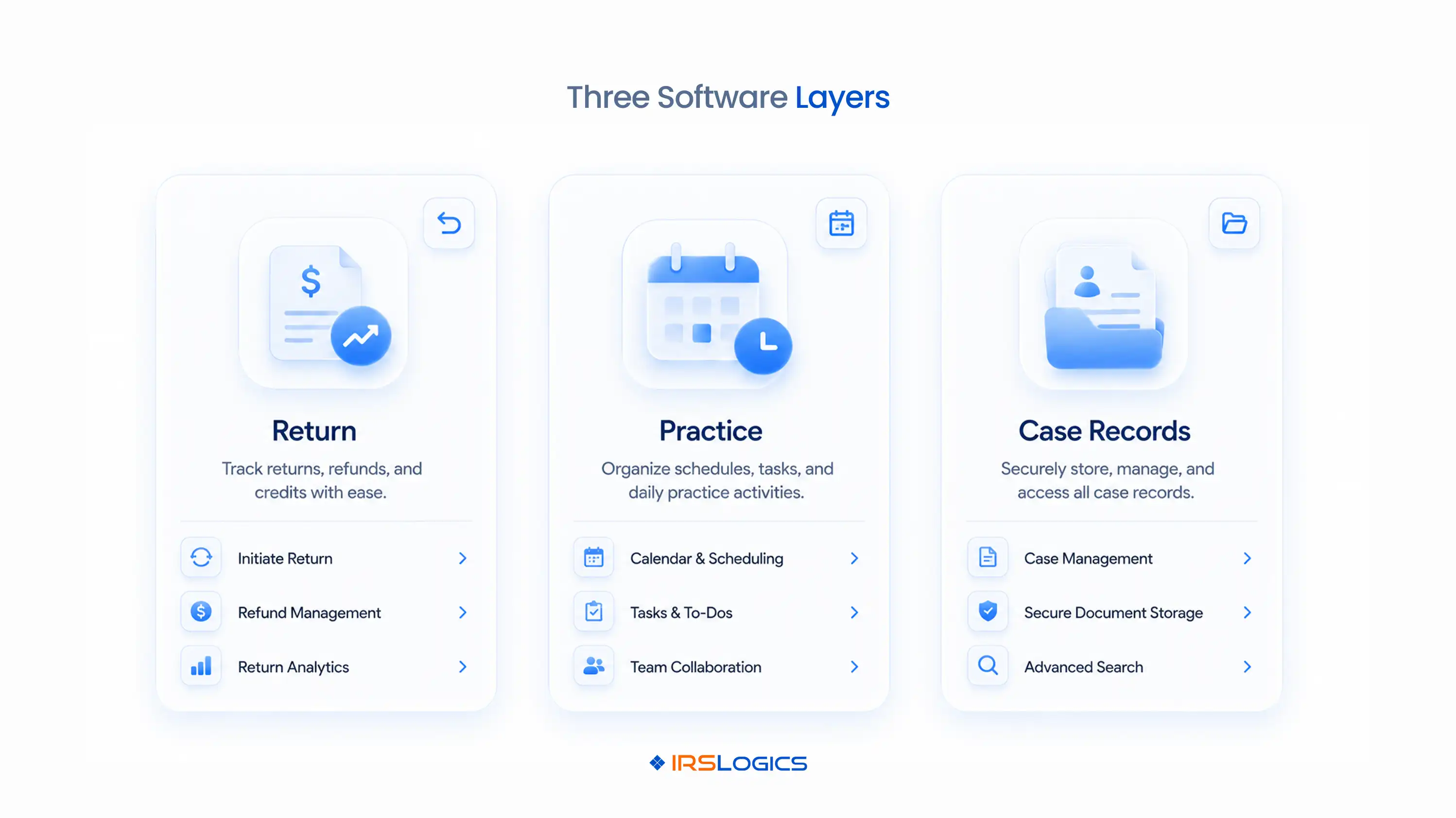
The three categories solve different operational problems. Tax preparation software converts source documents and tax positions into returns, calculations, diagnostics, and e-file submissions. Practice management software helps a firm organize clients, staff, recurring engagements, tasks, documents, communication, and billing. Tax resolution software manages the longer case lifecycle that begins when a taxpayer faces notices, examinations, assessed balances, liens, levies, or collection alternatives.
Confusion starts because all three may include tasks, portals, documents, or billing. Shared features do not make the products interchangeable. The better test is the record each platform is designed to preserve. A return system preserves calculations and filing history. A practice system preserves firm delivery history. A resolution system preserves the authorization, transcript, notice, strategy, form, communication, and deadline history for an IRS matter. IRSLogics describes that third layer in its tax resolution software overview.
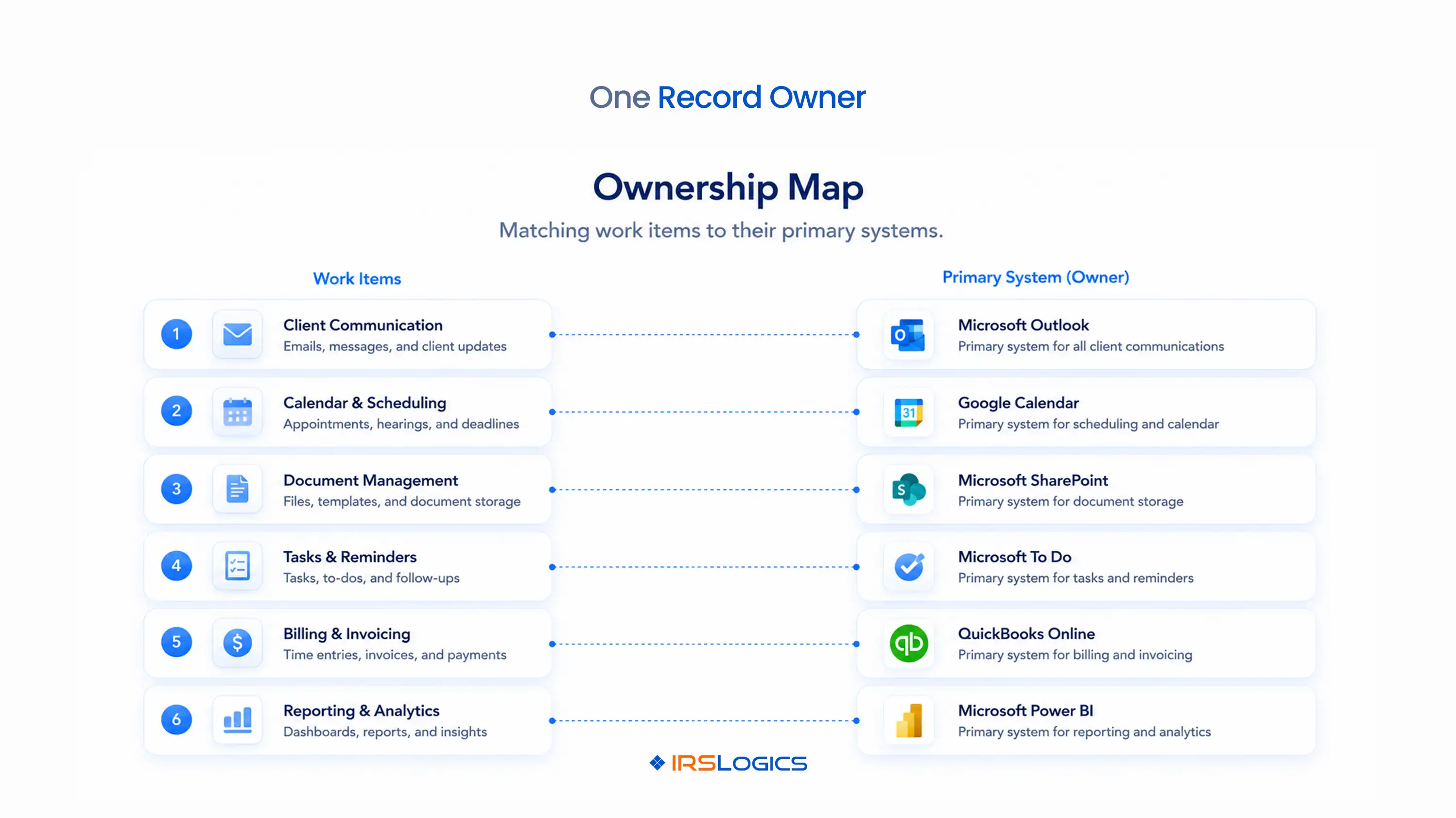
One system should be authoritative for each operational record. A clear ownership map prevents staff from updating the same fact in several places. The following model separates the work without pretending every firm uses the same vendors.
This table exposes the buying question that feature grids miss. If two platforms both claim to manage documents or invoices, the firm still needs a written rule about which balance, file, or status is authoritative.
Tax preparation software stops at the boundary of return production and filing. Its core job is to calculate, diagnose, prepare, and transmit tax returns. The IRS maintains a formal application process for firms that want to become authorized e-file providers, and filing software is built around that regulated transmission workflow.
An accepted return does not create a complete representation case file. A later notice may involve several tax periods, amended assessments, missing filings, collection deadlines, authorizations, transcripts, financial statements, and repeated client follow-ups. Those activities do not fit neatly inside a seasonal return workflow.
Keep the preparation platform for what it does best. Pass the filed return, acknowledgement, relevant diagnostics, and source documents into the matter workflow when a controversy issue appears. Do not treat the transfer as a blind export. Confirm taxpayer identity, entity, tax form, period, and the version of the return before the case team relies on it.
Practice management software coordinates the business of delivering services. It is strongest when the firm needs one view of assignments, capacity, recurring work, communication, and billing across many service lines. That can include tax preparation, bookkeeping, payroll, advisory, audit, and resolution engagements.
The category is valuable even when a separate case platform exists. A partner may need firm-wide workload visibility while a resolution manager needs detailed matter stages. The two views answer different questions. The practice system asks whether the engagement is staffed and profitable. The resolution system asks whether authorization is valid, transcripts are current, the financial intake is complete, and the next IRS action is assigned.
Firms should define the handoff before adding another tool. A practical trigger is the creation of an IRS representation matter. At that point, the practice system can retain the engagement-level status while the resolution platform controls case activity. IRSLogics’ CRM feature set is designed around that case-specific record.
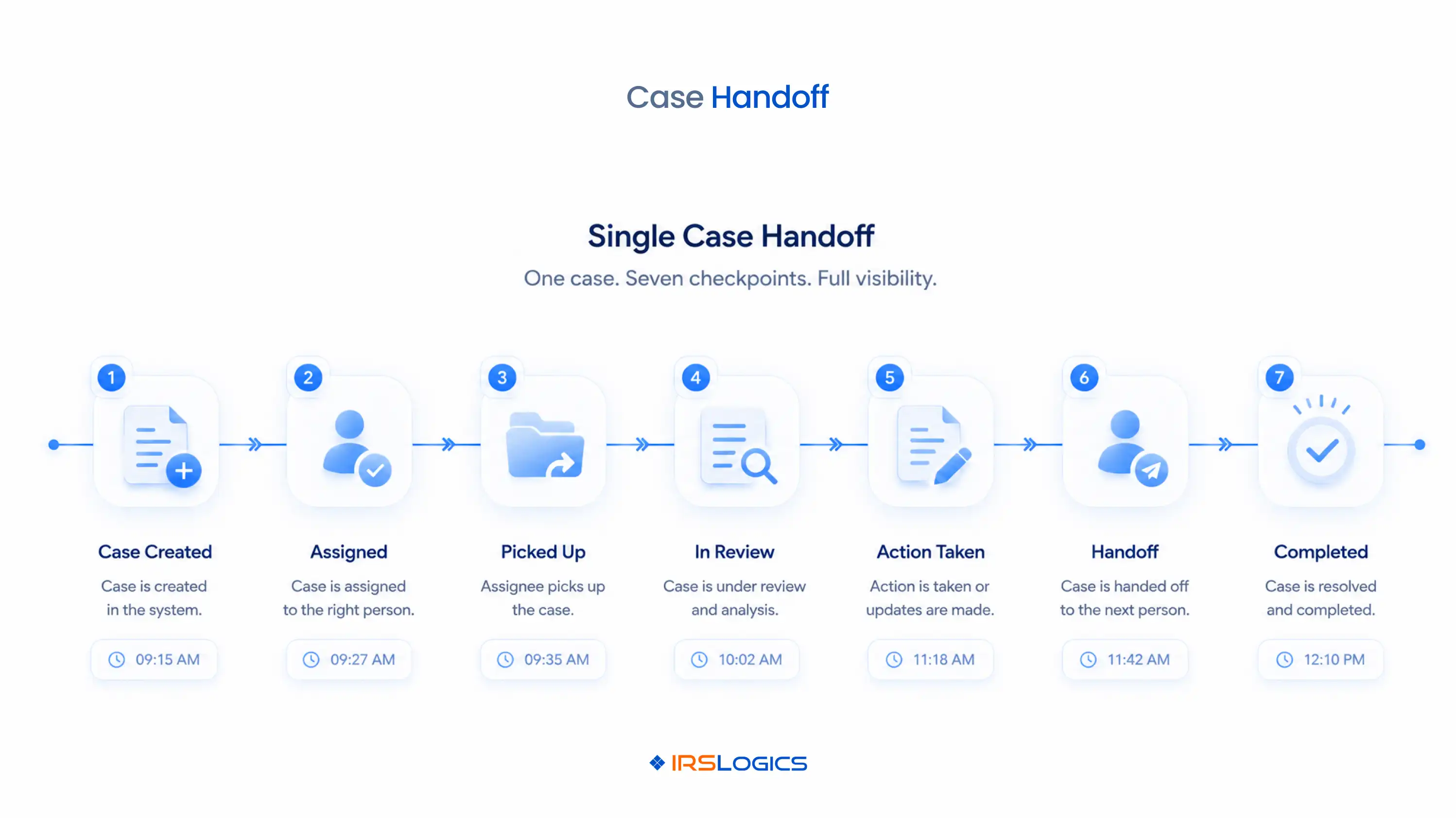
An IRS case introduces authority, tax-period scope, agency records, and procedural deadlines. The system must track more than a task named “resolve notice.” It should show the notice, response date, represented taxpayer, form and periods covered, assigned practitioner, transcript history, requested documents, working resolution path, billing status, and every pending follow-up.
Transcript access illustrates the difference. The IRS Transcript Delivery System provides eligible professionals with account transcripts, wage and income documents, return transcripts, records of account, and verification of non-filing letters. A properly executed Form 2848 or Form 8821 must be on file. Software can organize and automate the workflow, but it cannot remove that authorization requirement.
The distinction between the forms also matters. Form 8821 authorizes inspection or receipt of confidential tax information; it does not appoint a representative to practice before the IRS. Case software should make scope visible so a staff member does not mistake information access for representation authority.
The safest stack uses event-based handoffs and named data owners. Move only the information required for the next stage, then verify it at the receiving end. A simple sequence works for many firms:
IRSLogics supports the resolution portion with case workflows, transcripts, forms, client communication, billing, and reporting. Firms evaluating that layer can review the current plans and pricing process after mapping required users and workflows.
The most serious failures happen at system boundaries, not on vendor feature pages. Test the handoff with a real, de-identified case pattern before signing a contract. Start with these failure modes, ordered by operational impact:
Security is also a firm responsibility. The IRS states that tax professionals should create a written data security plan and points preparers to Publication 4557 and the FTC Safeguards Rule. Buying cloud software does not transfer the firm’s obligation to govern access, training, incident response, vendors, and data retention.
Choose software by workflow ownership, not by the length of a feature list. Start with the work your firm performs and the records it must defend. A preparation-only practice may need tax prep plus practice management. A resolution-focused practice needs a case platform at the center. A mixed firm usually needs all three categories with deliberate handoffs.
During demos, ask each vendor to run the same scenario: a lead becomes a client, authorization is submitted, transcripts arrive, a notice deadline changes, documents are requested, a Form 433 package is prepared, an invoice becomes overdue, and a manager reviews the file. Record which system owns each event and whether staff must re-enter data.
If IRS representation is a repeatable service line, compare that workflow against the 2026 tax resolution software buyer’s guide. Then book one workflow-based demo. The decision should follow your case map, user roles, security review, migration plan, and total operating cost.
Tax prep software prepares and files returns, while tax resolution software manages representation matters involving notices, balances, examinations, collections, transcripts, forms, deadlines, and case communication.
No. IRSLogics complements your preparation platform by managing tax resolution CRM, case workflow, transcripts, forms, documents, communication, billing, and reporting.
It can track general projects and tasks, but a resolution-heavy firm should test whether it handles authorization scope, transcripts, tax-specific forms, notice-driven deadlines, and case-stage reporting without extensive customization.
The IRS states that a properly executed Form 2848 or Form 8821 must be on file for eligible professionals using TDS, depending on the authority and information access required.
Either can be the billing owner, but the firm should choose one authoritative receivable balance and define how invoices, payments, refunds, and write-offs flow between systems.
There is no fixed number. A mixed firm often uses preparation, practice management, and resolution layers, but integrations and clear ownership matter more than minimizing the tool count.
Test a complete matter from lead intake through authorization, transcript retrieval, deadline changes, document requests, form preparation, billing, manager review, and closure.
Review it at least annually and after a major service, staffing, security, vendor, or workflow change. Recheck current vendor capabilities before renewal because integrations and product boundaries change.
Start with a one-page map of your firm’s actual work. Assign tax prep, practice delivery, case activity, documents, communication, and billing to named systems. Then test the handoffs with one representative IRS matter and document every manual re-entry point.
If resolution work is recurring, the decision is not whether your tax prep software is good enough. It is whether the case record has a proper operational home. That is the point at which a purpose-built resolution platform is worth evaluating.
All
Tax Software
Workflow & Automation
Industry News
Resolution Tips
Tax Resolution Marketing

Lorem ipsum dolor sit amet, consectetur adipiscing elit. Suspendisse varius enim in eros elementum tristique. Duis cursus, mi quis viverra ornare, eros dolor interdum nulla, ut commodo diam libero vitae erat. Aenean faucibus nibh et justo cursus id rutrum lorem imperdiet. Nunc ut sem vitae risus tristique posuere.


Share this article directly by email. Simply enter the recipient’s details below.

Article has been send to you.